
English Language Learner Support Made Simple
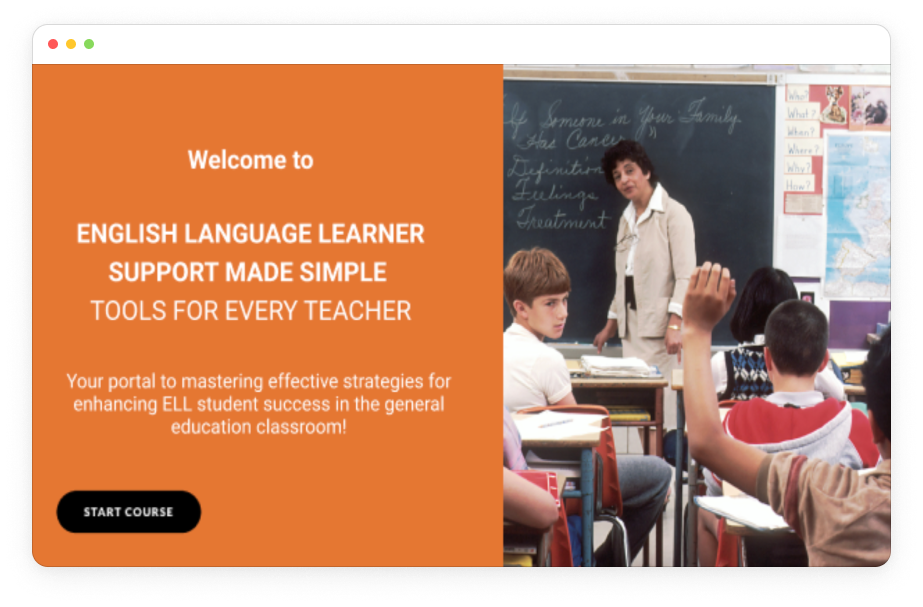
The goal of this project was to design a hybrid e-learning experience for general education teachers to build basic, effective, and immediately applicable tools to support English Language Learners (ELLs) in their classroom.


My Role
Project Manager
Instructional Designer
Format
Blended Learning (eLearning + Instructor-Led Workshop)
Timeline
3 months (Proof of Concept)
Target Learners
NYC DOE general education educators with little to no educational background in teaching English Language Learners.
Learning Goal
General education teachers will be able to understand what strategies can be implemented to support their ELL students based on the students skill-levels, needs, and lesson content.
Tools
Articulate 360, Figma, Asana
User Needs Statement
With ENL (English as a New Language) teacher shortages and a rise in ELL (English Language Learner) students, there is a need for more ELL support. Consequently, General Education teachers, lacking formal ENL training, are assuming primary responsibility for these students, but face challenges in finding adequate resources and time to support them effectively.
Learning Objectives
Teachers will be able to recall different ENL techniques depending on their students’ ELL level, their background, and the lesson learning objective.
Teachers will be able to integrate ELL strategies into their current lesson plan designs in order to meet the specific needs of ELL students as it relates to English language acquisition and overall subject fluency.
Teachers will be able to understand the effectiveness of the ELL strategies implemented in their classrooms by giving and receiving feedback from peer Ged Ed teachers and their ELL students.
Teachers will be able to leverage technology to support translation and communication between ELL students, Ged Ed teachers, peers, and the topic being covered at large.
Logic Model
When curriculum planning, my team and I collaborated on creating the following logic model to ensure clear understanding of the learner context, inputs, outputs, and potential impact of the learning experience.

Learning & Content Design
Chunking
To reduce cognitive load, content is presented in chunks with interactive elements to give learners control over what information is presented at a time.
Consolidated Information


Interactive Hotspots

Accordions
Text, Video, and Visuals
Based on Mayer's Cognitive Theory of Multimedia Learning, this module presents content in a variety of ways, including text, video, and other visuals. This offers a way to take in information in a variety of ways, increasing learners' rates of understanding and retention (Mayer, 2009).

Formative Assessments
Prior Knowledge Check
As a way to assess learners before beginning the lesson, they complete a series of multiple choice questions related to strategic peer groupings for ELL students.
This not only functions as a preview to what will be covered in the lesson, but it also allows learners the opportunity to apply what they already know to this new content, which then shows them areas of growth that will be covered in the module.

Lesson Knowledge Checks
As a way to assess whether learners are learning what they need to, knowledge checks are included at the end of each of the two main lesson content sections of the module.
These checks also offer the learner the opportunity to test what they learned and reference the material again for support or as a refresher if they answer incorrectly (Bates, 2019).
2.2 Flexible Groupings for ELLs

2.3 ELL Groupings for Collaborative Work

Applying Learnings: Scenario Activity
Learners recall information by implementing their learnings in this scenario activity where they practice integrating what they learned into a peer grouping plan based on a hypothetical scenario.
Their rationale will then be assessed through peer feedback, and learners have a space to include the ratings they were given and a space to reflect on the feedback and share what they may adjust and why.

Choice in Scenario
By offering learners multiple scenario options to choose from, they have more control over their learning and have an opportunity to choose a scenario that most applies to their subject expertise or that reflects the ELL students in their own classroom. Learners are also given the option to adjust the scenarios to better fit their own situations, if preferred.

While these digital scenarios build initial confidence, teachers needed a safe space to practice with peers. This led to the development of the synchronous workshop component.
Synchronous Workshop (ILT)
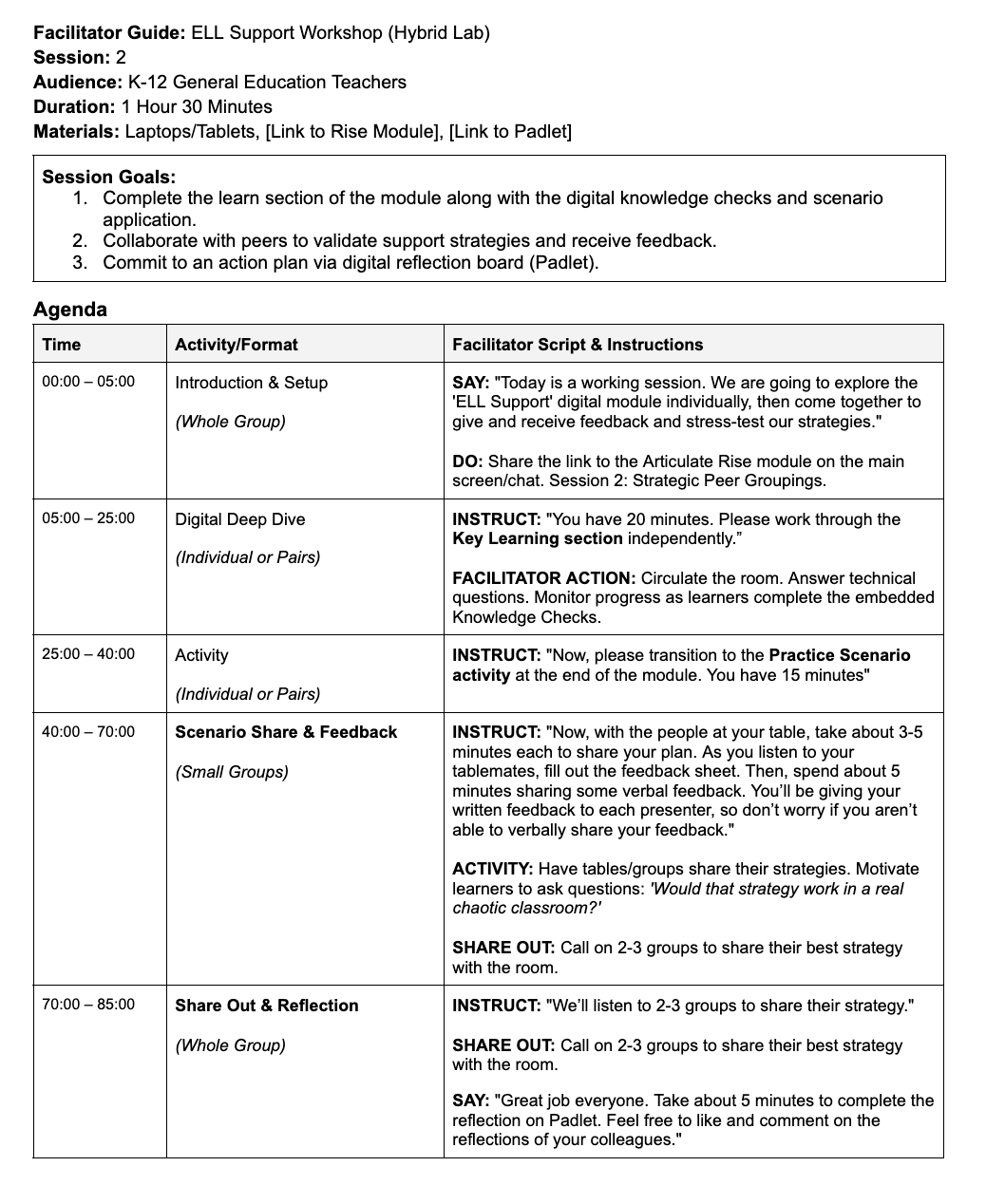
To bridge the gap between the self-paced digital module and real-world classroom application, I designed a 60-minute synchronous workshop. This allowed learners to 'stress-test' their strategies in a safe, peer-supported environment.
Facilitator
Instructor Implementation Guide
To ensure consistency across districts, I designed a time-boxed script that reduces cognitive load for facilitators. This guide serves as the bridge for the flipped classroom model, allowing instructors to focus on managing peer discussion rather than memorizing content.
Learner
Peer Feedback Tool
After applying their learnings by creating a peer grouping plan based on a scenario, learners are instructed to share their scenario with a peer, and they will take turns rating each other's plans based on the following analytic rubric.
Based on social-constructivist theory, learners demonstrate a deeper understanding of the module content by listening to a partner apply their learnings, then sharing their own knowledge by providing recommendations for improvement (Oyarzun, 2019).

Social Reflection Board
One important long-term goal of this training is to cultivate a community of sharing ideas and continuing to talk about and reflect on support for ELL students.
A collaborative Padlet at the end of the module for the final KWL reflection allows learners to anonymously share their thoughts with peer learners related to groupings, and allows them to comment and react to each other's reflections.